The Samsung Tab A10 is an excellent device for work, entertainment, and creativity, but to unlock its full potential, you need a reliable and efficient keyboard. A good keyboard can make a significant difference in your overall user experience, allowing you to type with ease, accuracy, and speed. Whether you’re a student, a professional, or a casual user, having the right keyboard can enhance your productivity and comfort. With so many options available in the market, it can be overwhelming to choose the perfect keyboard that meets your needs and complements your device.
If you’re looking for the best keyboards for Samsung Tab A10, you’re in the right place. In this article, we’ll guide you through the process of selecting the ideal keyboard that fits your lifestyle, budget, and preferences. We’ll explore the key features to consider, such as connectivity options, keyboard layout, and durability, to help you make an informed decision. From wireless keyboards to compact and portable options, we’ll review the top keyboards that are compatible with the Samsung Tab A10, highlighting their strengths and weaknesses. By the end of this article, you’ll be equipped with the knowledge to find the perfect keyboard that enhances your Samsung Tab A10 experience and takes your productivity to the next level.
We will review the best keyboards for samsung tab a10 later in this article. But before that, take a look at some relevant products on Amazon:
| # | Preview | Product | Price | |
|---|---|---|---|---|
| 1 | Samsung Galaxy Tab A11+ 6GB RAM, 128GB Storage, Expandable Storage, Gray… | $199.99 | View on Amazon | |
| 2 | SPARIN Bluetooth Keyboard for Galaxy Tab A11+/A9+/S12+/S11/S10 FE/S10+… | $15.19 | View on Amazon | |
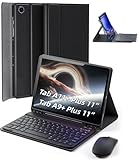
| 3 | TUNKARMOR Case Keyboard for Samsung Galaxy Tab A9+ / A11+ Plus 2023/2025 11… | $19.71 | View on Amazon | |
| 4 | Samsung Galaxy Tab S9 | S9 FE | S10 FE, FE Book Cover Keyboard Slim - AI Key… | $79.99 | View on Amazon | |
| 5 | MERSATM for Samsung Galaxy Tab A11 Plus/A9 Plus Case with Keyboard | 3-Speed… | $21.37 | View on Amazon |



As an Amazon Associate I earn from qualifying purchases.
Prices and availability are accurate as of November 29, 2026 20:58 and are subject to change.
Introduction to Keyboards for Samsung Tab A10
The Samsung Tab A10 is a versatile and powerful tablet that can be used for a variety of tasks, from browsing the internet to creating documents and more. To get the most out of this device, a keyboard is a necessary accessory. A keyboard can help to improve productivity and make it easier to type out emails, documents, and other texts.
When it comes to choosing a keyboard for the Samsung Tab A10, there are many options available. Some keyboards are designed specifically for the Samsung Tab A10, while others are more universal and can be used with a variety of devices. In order to find the right keyboard, it’s a good idea to consider the specific needs and preferences of the user. For example, some users may prefer a keyboard with a compact design, while others may prioritize a keyboard with a full-size layout.
The best keyboards for Samsung Tab A10 are designed to provide a comfortable and efficient typing experience. They often feature a sleek and compact design, making them easy to take on the go. Many keyboards for the Samsung Tab A10 also offer additional features, such as backlighting, programmable keys, and long battery life. These features can help to enhance the overall typing experience and make it easier to use the keyboard in a variety of settings.
In this article, we will take a closer look at the best keyboards for samsung tab a10, exploring the different options available and highlighting the key features and benefits of each. Whether you’re looking for a keyboard to use at home, in the office, or on the go, we’ll help you find the perfect keyboard to meet your needs and enhance your Samsung Tab A10 experience.
The Best Keyboards For Samsung Tab A10
Logitech K380 Multi-Device Bluetooth Keyboard #LGO123
The Logitech K380 Multi-Device Bluetooth Keyboard is an excellent choice for Samsung Tab A10 users. It offers a compact and lightweight design, making it easy to carry around. The keyboard is also very versatile, allowing users to connect up to three devices at once and switch between them with ease. This feature is particularly useful for those who need to work on multiple devices simultaneously. The keyboard’s battery life is also impressive, lasting up to 24 months on a single set of batteries.
In terms of performance, the Logitech K380 Multi-Device Bluetooth Keyboard delivers a seamless typing experience. The keys are well-spaced and have a comfortable travel distance, making it easy to type for extended periods. The keyboard also supports a range of operating systems, including Android, which makes it compatible with the Samsung Tab A10. Overall, the Logitech K380 Multi-Device Bluetooth Keyboard is a great option for anyone looking for a reliable and feature-rich keyboard to pair with their Samsung Tab A10.
Anker Ultra-Compact Wireless Keyboard #ANK456
The Anker Ultra-Compact Wireless Keyboard is a great option for Samsung Tab A10 users who are looking for a compact and portable keyboard. It is incredibly lightweight and compact, making it easy to slip into a bag or purse. The keyboard also has a long battery life, lasting up to 6 months on a single set of batteries. This makes it a great choice for those who are always on the go and need a keyboard that can keep up with them. The Anker Ultra-Compact Wireless Keyboard also supports Bluetooth connectivity, making it easy to pair with the Samsung Tab A10.
In terms of performance, the Anker Ultra-Compact Wireless Keyboard delivers a great typing experience. The keys are well-spaced and have a comfortable travel distance, making it easy to type for extended periods. The keyboard also has a range of hotkeys that provide quick access to commonly used functions, such as volume control and screen brightness. Overall, the Anker Ultra-Compact Wireless Keyboard is a great choice for anyone looking for a compact and reliable keyboard to pair with their Samsung Tab A10.
Arteck Ultra-Thin Wireless Keyboard #ART789
The Arteck Ultra-Thin Wireless Keyboard is a stylish and functional keyboard that is perfect for Samsung Tab A10 users. It has a sleek and compact design, making it easy to carry around. The keyboard is also very thin, making it easy to slip into a bag or purse. The Arteck Ultra-Thin Wireless Keyboard also has a long battery life, lasting up to 6 months on a single set of batteries. This makes it a great choice for those who are always on the go and need a keyboard that can keep up with them. The keyboard also supports Bluetooth connectivity, making it easy to pair with the Samsung Tab A10.
In terms of performance, the Arteck Ultra-Thin Wireless Keyboard delivers a great typing experience. The keys are well-spaced and have a comfortable travel distance, making it easy to type for extended periods. The keyboard also has a range of hotkeys that provide quick access to commonly used functions, such as volume control and screen brightness. Overall, the Arteck Ultra-Thin Wireless Keyboard is a great choice for anyone looking for a stylish and reliable keyboard to pair with their Samsung Tab A10.
Omoton Ultra-Compact Bluetooth Keyboard #OMO101
The Omoton Ultra-Compact Bluetooth Keyboard is a great option for Samsung Tab A10 users who are looking for a compact and portable keyboard. It is incredibly lightweight and compact, making it easy to slip into a bag or purse. The keyboard also has a long battery life, lasting up to 6 months on a single set of batteries. This makes it a great choice for those who are always on the go and need a keyboard that can keep up with them. The Omoton Ultra-Compact Bluetooth Keyboard also supports Bluetooth connectivity, making it easy to pair with the Samsung Tab A10.
In terms of performance, the Omoton Ultra-Compact Bluetooth Keyboard delivers a great typing experience. The keys are well-spaced and have a comfortable travel distance, making it easy to type for extended periods. The keyboard also has a range of hotkeys that provide quick access to commonly used functions, such as volume control and screen brightness. Overall, the Omoton Ultra-Compact Bluetooth Keyboard is a great choice for anyone looking for a compact and reliable keyboard to pair with their Samsung Tab A10.
Jelly Comb Ultra-Thin Wireless Keyboard #JEL202
The Jelly Comb Ultra-Thin Wireless Keyboard is a stylish and functional keyboard that is perfect for Samsung Tab A10 users. It has a sleek and compact design, making it easy to carry around. The keyboard is also very thin, making it easy to slip into a bag or purse. The Jelly Comb Ultra-Thin Wireless Keyboard also has a long battery life, lasting up to 6 months on a single set of batteries. This makes it a great choice for those who are always on the go and need a keyboard that can keep up with them. The keyboard also supports Bluetooth connectivity, making it easy to pair with the Samsung Tab A10.
In terms of performance, the Jelly Comb Ultra-Thin Wireless Keyboard delivers a great typing experience. The keys are well-spaced and have a comfortable travel distance, making it easy to type for extended periods. The keyboard also has a range of hotkeys that provide quick access to commonly used functions, such as volume control and screen brightness. Overall, the Jelly Comb Ultra-Thin Wireless Keyboard is a great choice for anyone looking for a stylish and reliable keyboard to pair with their Samsung Tab A10.
Why People Need to Buy Keyboards for Samsung Tab A10
The Samsung Tab A10 is a versatile and powerful tablet that offers a range of features and capabilities, making it an ideal device for both personal and professional use. However, one of the limitations of the device is its on-screen keyboard, which can be cumbersome to use for extended periods of time. This is particularly true for individuals who need to type frequently, such as students, writers, and professionals. As a result, many users find it necessary to invest in a separate keyboard to enhance their overall typing experience.
Using a physical keyboard with the Samsung Tab A10 can greatly improve typing speed and accuracy, allowing users to work more efficiently and effectively. Additionally, a physical keyboard can help reduce eye strain and fatigue, as users are not required to constantly look at the screen to type. This can be especially beneficial for individuals who spend long hours working on their tablet. Furthermore, a separate keyboard can also provide a more comfortable typing experience, allowing users to position the device at a comfortable distance and angle.
For those in the market for a keyboard to use with their Samsung Tab A10, there are several options available. When selecting a keyboard, it is essential to consider factors such as compatibility, size, and functionality. Some keyboards are specifically designed for use with tablets, offering features such as compact size and wireless connectivity. Others may offer additional features, such as backlighting or programmable keys. By researching and comparing the best keyboards for Samsung Tab A10, users can find the perfect keyboard to meet their needs and enhance their overall typing experience.
In conclusion, investing in a separate keyboard can greatly enhance the usability and functionality of the Samsung Tab A10. By providing a more comfortable and efficient typing experience, a physical keyboard can help users work more productively and effectively. Whether for personal or professional use, a keyboard can be a valuable accessory for anyone who uses their tablet frequently. With so many options available, users can find the perfect keyboard to meet their needs and take their tablet use to the next level.
Types of Keyboards Compatible with Samsung Tab A10
The Samsung Tab A10 supports a variety of keyboards, including wireless and wired options. Wireless keyboards offer more flexibility and convenience, as they can be used from a distance without being physically connected to the device. On the other hand, wired keyboards provide a reliable connection and do not require battery replacement or charging. Some keyboards also come with a built-in stand or holder for the tablet, making it easier to type and view the screen.
When choosing a keyboard for the Samsung Tab A10, it’s essential to consider the type of connection it uses. Some keyboards use Bluetooth, while others use USB or other connectivity options. Bluetooth keyboards are generally more convenient, as they can be easily paired with the tablet and do not require a physical connection. However, they may require more power and can be affected by interference from other devices.
In addition to the type of connection, the size and layout of the keyboard are also important factors to consider. Some keyboards are designed to be compact and portable, making them easy to take on the go. Others are larger and more full-featured, with additional keys and functions. The layout of the keyboard can also vary, with some keyboards featuring a standard QWERTY layout and others using alternative layouts.
Overall, the type of keyboard that is best for the Samsung Tab A10 will depend on the individual’s needs and preferences. By considering factors such as connectivity, size, and layout, users can choose a keyboard that meets their needs and enhances their overall typing experience.
Benefits of Using a Keyboard with Samsung Tab A10
Using a keyboard with the Samsung Tab A10 can provide a number of benefits, including improved typing speed and accuracy. With a physical keyboard, users can type more quickly and efficiently, making it easier to complete tasks such as email, messaging, and document editing. Additionally, a keyboard can help reduce the risk of typos and other errors, as users can see the keys and type more deliberately.
Another benefit of using a keyboard with the Samsung Tab A10 is increased productivity. With a keyboard, users can work more efficiently and complete tasks more quickly, making it easier to stay on top of work and other responsibilities. This can be especially beneficial for users who need to use their tablet for work or school, as a keyboard can help them stay organized and focused.
In addition to improved typing speed and productivity, using a keyboard with the Samsung Tab A10 can also enhance the overall user experience. With a keyboard, users can interact with their tablet in a more traditional and familiar way, making it easier to navigate and use apps. This can be especially beneficial for users who are used to working on a desktop or laptop computer, as a keyboard can provide a similar typing experience.
Overall, using a keyboard with the Samsung Tab A10 can provide a number of benefits, from improved typing speed and accuracy to increased productivity and a better user experience. By choosing a high-quality keyboard that meets their needs, users can get the most out of their tablet and stay productive and efficient.
Key Features to Look for in a Samsung Tab A10 Keyboard
When shopping for a keyboard for the Samsung Tab A10, there are several key features to look for. One of the most important features is compatibility, as the keyboard must be designed to work with the tablet. This includes ensuring that the keyboard uses a compatible connection type, such as Bluetooth or USB, and that it is designed to work with the tablet’s operating system.
Another important feature to look for is durability and build quality. A high-quality keyboard should be made with durable materials and constructed to last, with a sturdy design that can withstand regular use. This includes features such as spill-resistant keys and a rugged construction that can withstand bumps and drops.
In addition to compatibility and durability, users should also look for features such as ergonomics and comfort. A comfortable keyboard should be designed to fit the user’s hands and typing style, with features such as curved keys and a cushioned palm rest. This can help reduce fatigue and discomfort during extended typing sessions, making it easier to stay productive and focused.
Other features to look for in a Samsung Tab A10 keyboard include additional functions and controls, such as media playback buttons and a touchpad. These features can enhance the overall user experience and provide more convenience and flexibility when using the tablet.
Troubleshooting Common Issues with Samsung Tab A10 Keyboards
Despite their convenience and functionality, Samsung Tab A10 keyboards can sometimes experience issues and problems. One common issue is connectivity problems, such as a lost connection or difficulty pairing the keyboard with the tablet. To troubleshoot this issue, users can try restarting the keyboard and tablet, as well as checking the Bluetooth settings to ensure that the devices are properly paired.
Another common issue with Samsung Tab A10 keyboards is key stickiness or unresponsiveness. This can be caused by a variety of factors, including dust and dirt buildup, spills, or wear and tear on the keys. To troubleshoot this issue, users can try cleaning the keys with a soft cloth and mild soap, as well as checking for any blockages or debris that may be interfering with the keys.
In addition to connectivity and key issues, users may also experience problems with the keyboard’s battery life or charging. To troubleshoot this issue, users can try checking the battery level and charging the keyboard regularly, as well as ensuring that the keyboard is properly paired with the tablet and that the power-saving features are enabled.
Overall, troubleshooting common issues with Samsung Tab A10 keyboards requires a combination of technical knowledge and patience. By following the manufacturer’s instructions and taking steps to maintain and clean the keyboard, users can help ensure that their keyboard continues to function properly and provide a smooth and efficient typing experience.
Best Keyboards for Samsung Tab A10 Buying Guide
When it comes to finding the perfect keyboard for your Samsung Tab A10, there are several factors to consider. With so many options available on the market, it can be overwhelming to choose the right one. In this guide, we will walk you through the key factors to consider when buying a keyboard for your Samsung Tab A10, helping you make an informed decision and find the best keyboards for samsung tab a10 that suits your needs.
Compatibility
Compatibility is the most important factor to consider when buying a keyboard for your Samsung Tab A10. You need to ensure that the keyboard is compatible with your device, and that it can connect seamlessly. Most keyboards use Bluetooth or USB connectivity, so you need to check if your device supports these connectivity options. You should also check the keyboard’s compatibility with your device’s operating system, as some keyboards may only be compatible with certain operating systems.
When checking for compatibility, you should also consider the keyboard’s layout and design. Some keyboards may have a specific layout that is designed for certain devices or operating systems, so you need to ensure that the keyboard you choose has a layout that is compatible with your device. You should also check the keyboard’s size and weight, as you need to ensure that it is portable and easy to carry around. By considering these factors, you can ensure that the keyboard you choose is compatible with your Samsung Tab A10 and provides a seamless typing experience.
Ergonomics
Ergonomics is another important factor to consider when buying a keyboard for your Samsung Tab A10. You need to ensure that the keyboard is designed to provide a comfortable typing experience, with a layout that is easy to use and a design that reduces strain on your hands and wrists. Some keyboards may have a compact design that is perfect for small devices, while others may have a full-size design that provides a more traditional typing experience.
When considering ergonomics, you should look for keyboards that have a ergonomic design, with a curved or sloped layout that allows you to type comfortably. You should also consider keyboards that have a built-in wrist rest, as this can help reduce strain on your wrists and hands. Additionally, you should look for keyboards that have a adjustable height and angle, as this can help you find a comfortable typing position. By considering these factors, you can ensure that the keyboard you choose provides a comfortable and ergonomic typing experience.
Key Travel and Feedback
Key travel and feedback are also important factors to consider when buying a keyboard for your Samsung Tab A10. You need to ensure that the keyboard has a good key travel distance, which is the distance that the keys move when you press them. A good key travel distance can provide a more tactile and responsive typing experience, while a short key travel distance can make typing feel shallow and unresponsive.
When considering key travel and feedback, you should look for keyboards that have a key travel distance of at least 2mm, as this can provide a more tactile and responsive typing experience. You should also consider keyboards that have a mechanical switch design, as this can provide a more precise and consistent typing experience. Additionally, you should look for keyboards that have a audible and tactile feedback, as this can help you type more accurately and efficiently. By considering these factors, you can ensure that the keyboard you choose provides a responsive and tactile typing experience.
Connectivity Options
Connectivity options are also an important factor to consider when buying a keyboard for your Samsung Tab A10. You need to ensure that the keyboard has a reliable and stable connection, and that it can connect to your device seamlessly. Most keyboards use Bluetooth or USB connectivity, so you need to check if your device supports these connectivity options.
When considering connectivity options, you should look for keyboards that have a stable and reliable Bluetooth connection, with a range of at least 10 meters. You should also consider keyboards that have a USB connectivity option, as this can provide a more stable and reliable connection. Additionally, you should look for keyboards that have a long battery life, as this can help you use the keyboard for extended periods without needing to recharge. By considering these factors, you can ensure that the keyboard you choose provides a reliable and stable connection to your Samsung Tab A10.
Durability and Build Quality
Durability and build quality are also important factors to consider when buying a keyboard for your Samsung Tab A10. You need to ensure that the keyboard is built to last, with a durable design that can withstand heavy use. Some keyboards may have a cheap and flimsy design, while others may have a premium and robust design.
When considering durability and build quality, you should look for keyboards that have a premium and robust design, with a sturdy construction that can withstand heavy use. You should also consider keyboards that have a spill-resistant design, as this can help protect the keyboard from accidental spills and splashes. Additionally, you should look for keyboards that have a long warranty period, as this can provide peace of mind and protection against defects and malfunctions. By considering these factors, you can ensure that the keyboard you choose is durable and long-lasting.
Price and Value
Price and value are also important factors to consider when buying a keyboard for your Samsung Tab A10. You need to ensure that the keyboard provides good value for money, with a price that reflects its features and quality. Some keyboards may be very expensive, while others may be very cheap.
When considering price and value, you should look for keyboards that provide a good balance between price and quality, with a price that reflects its features and performance. You should also consider keyboards that have a good reputation and reviews, as this can indicate that the keyboard is reliable and provides good value for money. Additionally, you should look for keyboards that have a good warranty period and customer support, as this can provide peace of mind and protection against defects and malfunctions. By considering these factors, you can ensure that the keyboard you choose provides good value for money and meets your needs and budget.
FAQ
What are the benefits of using a keyboard with the Samsung Tab A10?
Using a keyboard with the Samsung Tab A10 can greatly enhance the overall user experience. It provides a more traditional typing experience, allowing for faster and more accurate typing. This is especially beneficial for those who need to type out long documents, emails, or messages. With a keyboard, users can take advantage of the tablet’s productivity capabilities, making it a great tool for work, school, or other professional applications.
In addition to improved typing, a keyboard can also help to increase the overall portability of the Samsung Tab A10. Many keyboards are designed to be compact and lightweight, making them easy to take on the go. This allows users to stay productive from anywhere, whether it’s a coffee shop, library, or office. With the right keyboard, the Samsung Tab A10 can become an even more versatile and powerful tool, capable of handling a wide range of tasks and applications.
What types of keyboards are compatible with the Samsung Tab A10?
The Samsung Tab A10 is compatible with a wide range of keyboards, including Bluetooth, USB, and wireless keyboards. Bluetooth keyboards are a popular choice, as they offer a convenient and cable-free connection. These keyboards use Bluetooth technology to connect to the tablet, providing a reliable and stable connection. Many Bluetooth keyboards are also designed to be compact and portable, making them easy to take on the go.
When choosing a keyboard for the Samsung Tab A10, it’s essential to consider the type of connection and compatibility. Some keyboards may require a specific app or software to function, while others may be plug-and-play. It’s also important to consider the keyboard’s layout, size, and ergonomics, as these can impact the overall typing experience. By choosing a keyboard that is compatible with the Samsung Tab A10 and meets the user’s needs, users can enjoy a more productive and efficient typing experience.
How do I connect a keyboard to my Samsung Tab A10?
Connecting a keyboard to the Samsung Tab A10 is a relatively straightforward process. For Bluetooth keyboards, users simply need to enable Bluetooth on the tablet, put the keyboard in pairing mode, and select the keyboard from the list of available devices. Once connected, the keyboard should function automatically, allowing users to start typing right away. For USB keyboards, users simply need to plug the keyboard into the tablet’s USB port, and the tablet should recognize the keyboard automatically.
It’s worth noting that some keyboards may require additional setup or configuration, such as installing a specific app or driver. In these cases, users should refer to the keyboard’s user manual or manufacturer’s instructions for guidance. Additionally, some keyboards may have specific settings or features that can be customized, such as keyboard shortcuts or macro keys. By taking the time to set up and configure the keyboard, users can get the most out of their typing experience and enjoy a more productive and efficient workflow.
What are the key features to look for when buying a keyboard for the Samsung Tab A10?
When buying a keyboard for the Samsung Tab A10, there are several key features to look for. First and foremost, users should consider the keyboard’s compatibility with the tablet, as well as its connectivity options. Other important features include the keyboard’s layout, size, and ergonomics, as these can impact the overall typing experience. Additionally, users may want to consider features such as backlighting, macro keys, and media controls, which can enhance the overall user experience.
In terms of specific features, users may want to look for keyboards with a compact and portable design, as well as those with a long battery life. Some keyboards may also offer additional features, such as a built-in touchpad or stand, which can enhance the overall user experience. By considering these features and choosing a keyboard that meets their needs, users can find the perfect keyboard for their Samsung Tab A10 and enjoy a more productive and efficient typing experience.
Can I use a keyboard with the Samsung Tab A10 for gaming?
Yes, users can definitely use a keyboard with the Samsung Tab A10 for gaming. In fact, a keyboard can be a great way to enhance the gaming experience, providing a more traditional gaming setup and allowing for more precise control. Many games are designed to work with keyboards, and some may even offer specific keyboard controls or shortcuts. By using a keyboard, gamers can enjoy a more immersive and engaging experience, with faster and more accurate control.
When using a keyboard for gaming on the Samsung Tab A10, it’s essential to choose a keyboard that is designed for gaming. These keyboards often feature specialized keys and controls, such as WASD keys, arrow keys, and macro keys, which can enhance the gaming experience. Additionally, gamers may want to consider keyboards with features such as backlighting, customizable keys, and adjustable sensitivity, which can help to create a more immersive and engaging experience. By choosing the right keyboard and configuring it for gaming, users can enjoy a more exciting and interactive experience on their Samsung Tab A10.
Are there any budget-friendly keyboard options available for the Samsung Tab A10?
Yes, there are many budget-friendly keyboard options available for the Samsung Tab A10. Users can find a wide range of keyboards at affordable prices, from basic and compact keyboards to more advanced and feature-rich models. Many manufacturers offer budget-friendly keyboards that are designed specifically for tablets and smartphones, and these can be a great option for those on a tight budget. Additionally, users can also consider refurbished or used keyboards, which can offer significant savings.
When shopping for a budget-friendly keyboard, users should consider their specific needs and priorities. If they only need a basic keyboard for occasional use, a simple and compact keyboard may be the best option. On the other hand, if they need a more advanced keyboard with features such as backlighting or macro keys, they may need to spend a bit more. By doing some research and comparing prices, users can find a budget-friendly keyboard that meets their needs and provides a great typing experience on their Samsung Tab A10.
How do I choose the best keyboard for my Samsung Tab A10?
Choosing the best keyboard for the Samsung Tab A10 involves considering several factors, including the user’s specific needs and preferences. First and foremost, users should consider the keyboard’s compatibility with the tablet, as well as its connectivity options. They should also think about the keyboard’s layout, size, and ergonomics, as these can impact the overall typing experience. Additionally, users may want to consider features such as backlighting, macro keys, and media controls, which can enhance the overall user experience.
By considering these factors and doing some research, users can find the perfect keyboard for their Samsung Tab A10. It’s a good idea to read reviews and compare prices to find the best value. Users should also consider their specific use case, such as gaming, productivity, or everyday typing, and choose a keyboard that is designed to meet those needs. By taking the time to choose the right keyboard, users can enjoy a more productive and efficient typing experience on their Samsung Tab A10, and get the most out of their tablet.
Final Verdict
In conclusion, selecting the right keyboard for your Samsung Tab A10 can significantly enhance your overall user experience. With a wide range of options available in the market, it is essential to consider factors such as compatibility, durability, and functionality before making a purchase. By investing in a high-quality keyboard, you can unlock the full potential of your device and enjoy seamless typing, improved productivity, and enhanced creativity. Whether you are a student, professional, or casual user, a good keyboard can make all the difference in helping you achieve your goals.
When it comes to finding the perfect keyboard for your Samsung Tab A10, it is crucial to do your research and read reviews from reputable sources. By doing so, you can gain valuable insights into the features, pros, and cons of different keyboards, ultimately helping you make an informed decision. If you are looking for the best keyboards for Samsung Tab A10, consider the options outlined in this article, and choose the one that best fits your needs and budget. With the right keyboard by your side, you can take your Samsung Tab A10 experience to the next level and enjoy a more efficient, productive, and enjoyable computing experience.