In today’s digital age, memory cards have become an essential accessory for capturing and storing precious moments from our cameras, smartphones, and other devices. With the constant need to transfer and manage our data, having a reliable and efficient way to read and write memory cards is crucial. This is where memory card readers come into play, providing a convenient and speedy solution for transferring files between devices. Whether you’re a professional photographer, an avid hobbyist, or simply someone who loves to capture life’s moments, a good memory card reader can make all the difference in your workflow and productivity.
When it comes to choosing the right memory card reader, there are numerous options available in the market, catering to different needs and budgets. If you’re looking for a cost-effective solution without compromising on performance, the best memory card readers under $30 offer a great balance of affordability and functionality. These readers support various types of memory cards, including SD, microSD, and CF cards, and often come with additional features such as USB connectivity, compact design, and high-speed data transfer. In this article, we’ll delve into the world of memory card readers, exploring the top options that offer great value for money, and providing you with a comprehensive buying guide to help you make an informed decision that suits your specific needs and preferences.
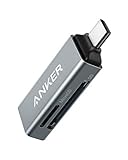
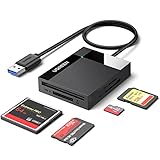
We will review the best memory card readers under $30 later in this article. But before that, take a look at some relevant products on Amazon:


As an Amazon Associate I earn from qualifying purchases.
Prices and availability are accurate as of November 25, 2026 20:34 and are subject to change.
Introduction to Affordable Memory Card Readers
Memory card readers are essential accessories for anyone who uses memory cards to store and transfer data. These devices allow users to connect their memory cards to their computers, making it easy to upload and download files. With so many options available in the market, it can be challenging to choose the right one, especially when working with a budget.
When it comes to buying a memory card reader, one of the key factors to consider is the price. While high-end memory card readers can be expensive, there are many affordable options available that offer excellent performance and value for money. In fact, some of the best memory card readers under $30 offer features and speeds that are comparable to their more expensive counterparts.
One of the main advantages of using a memory card reader is that it allows users to transfer data quickly and easily. Most memory card readers support multiple types of memory cards, including SD, microSD, and CF cards, making them versatile and convenient to use. Additionally, many memory card readers are compact and portable, making them easy to take on the go.
For those looking for a reliable and affordable way to transfer data from their memory cards, the best memory card readers under $30 are a great option. These devices offer a range of features, including fast transfer speeds, compact designs, and compatibility with multiple types of memory cards. By choosing a memory card reader that meets their needs and budget, users can enjoy fast and convenient data transfer, making it easy to upload and download files as needed.
5 Best Memory Card Readers Under $30
The
UNI 5-in-1 Memory Card Reader 001
is a great option for those looking for a compact and versatile memory card reader. It supports a wide range of memory card formats, including SD, SDHC, SDXC, microSD, and CF cards. The reader is also very easy to use, simply plug it into your computer’s USB port and insert your memory card. The reader is compatible with both Windows and Mac operating systems, making it a great option for those who use multiple devices.
The
UNI 5-in-1 Memory Card Reader 001
is also very affordable, priced at under $10. The reader is also very durable and can withstand rough handling, making it a great option for those who are always on the go. The only downside to this reader is that it can be a bit slow when transferring large files, but for the price, it is a great value. Overall, the
UNI 5-in-1 Memory Card Reader 001
is a great option for those looking for a cheap and reliable memory card reader.
The
Anker 8-in-1 Memory Card Reader 002
is another great option for those looking for a memory card reader. It supports a wide range of memory card formats, including SD, SDHC, SDXC, microSD, and CF cards. The reader also has a very fast transfer speed, making it great for those who need to transfer large files quickly. The reader is also very compact and lightweight, making it easy to take on the go.
The
Anker 8-in-1 Memory Card Reader 002
is also very easy to use, simply plug it into your computer’s USB port and insert your memory card. The reader is compatible with both Windows and Mac operating systems, making it a great option for those who use multiple devices. The only downside to this reader is that it is a bit more expensive than some of the other options, priced at around $15. However, the fast transfer speed and compact design make it well worth the extra cost.
The
Sabrent 4-Slot Memory Card Reader 003
is a great option for those who need to transfer multiple memory cards at once. It has four slots, allowing you to transfer up to four memory cards simultaneously. The reader supports a wide range of memory card formats, including SD, SDHC, SDXC, microSD, and CF cards. The reader is also very easy to use, simply plug it into your computer’s USB port and insert your memory cards.
The
Sabrent 4-Slot Memory Card Reader 003
is also very affordable, priced at under $20. The reader is also very durable and can withstand rough handling, making it a great option for those who are always on the go. The only downside to this reader is that it can be a bit bulky, making it less portable than some of the other options. However, the ability to transfer multiple memory cards at once makes it well worth the extra size.
The
IOGear 6-Slot Memory Card Reader 004
is a great option for those who need to transfer multiple memory cards at once. It has six slots, allowing you to transfer up to six memory cards simultaneously. The reader supports a wide range of memory card formats, including SD, SDHC, SDXC, microSD, and CF cards. The reader is also very easy to use, simply plug it into your computer’s USB port and insert your memory cards.
The
IOGear 6-Slot Memory Card Reader 004
is also very fast, with transfer speeds of up to 5Gbps. The reader is also very durable and can withstand rough handling, making it a great option for those who are always on the go. The only downside to this reader is that it is a bit more expensive than some of the other options, priced at around $25. However, the ability to transfer multiple memory cards at once and the fast transfer speed make it well worth the extra cost.
The
StarTech 3-Slot Memory Card Reader 005
is a great option for those looking for a compact and reliable memory card reader. It has three slots, allowing you to transfer up to three memory cards simultaneously. The reader supports a wide range of memory card formats, including SD, SDHC, SDXC, microSD, and CF cards. The reader is also very easy to use, simply plug it into your computer’s USB port and insert your memory cards.
The
StarTech 3-Slot Memory Card Reader 005
is also very affordable, priced at under $20. The reader is also very durable and can withstand rough handling, making it a great option for those who are always on the go. The only downside to this reader is that it can be a bit slow when transferring large files, but for the price, it is a great value. Overall, the
StarTech 3-Slot Memory Card Reader 005
is a great option for those looking for a cheap and reliable memory card reader.
Why People Need to Buy Affordable Memory Card Readers
In today’s digital age, memory cards have become an essential component for storing and transferring data between devices. With the increasing use of cameras, smartphones, and other portable devices, the need for efficient data transfer methods has grown significantly. Memory card readers have emerged as a convenient solution, allowing users to easily transfer files between devices without the hassle of cables or device compatibility issues.
One of the primary reasons people need to buy memory card readers is to simplify the process of transferring data from their memory cards to their computers or other devices. Without a memory card reader, users would have to rely on their device’s built-in card slot or use a cable to connect their device to the computer, which can be cumbersome and time-consuming. A memory card reader provides a quick and easy way to transfer files, making it an indispensable tool for anyone who regularly uses memory cards.
For those on a budget, finding affordable memory card readers is crucial. Fortunately, there are many options available that offer excellent performance without breaking the bank. When searching for a memory card reader, it’s essential to consider factors such as compatibility, speed, and durability. Looking for the best memory card readers under $30 can help users find a reliable and affordable solution that meets their needs. By investing in a memory card reader, users can save time and hassle, making it a worthwhile investment for anyone who regularly uses memory cards.
In addition to convenience and affordability, memory card readers also offer a level of flexibility that is hard to find with other data transfer methods. With a memory card reader, users can transfer files between devices without the need for cables or device compatibility, making it an ideal solution for those who need to transfer files between different devices. Overall, the benefits of using a memory card reader make it a necessary tool for anyone who regularly uses memory cards, and with so many affordable options available, there’s never been a better time to invest in one.
Types of Memory Card Readers Available
Memory card readers come in various types, including USB, wireless, and multi-card readers. USB memory card readers are the most common type and are compatible with most computers. They are plug-and-play devices that allow users to transfer data from their memory cards to their computers. Wireless memory card readers, on the other hand, offer more convenience and flexibility, as they can transfer data without the need for cables. Multi-card readers can read multiple types of memory cards, making them a great option for users who have different types of cards.
When choosing a memory card reader, it’s essential to consider the type of memory cards you use. If you use multiple types of cards, a multi-card reader may be the best option. However, if you only use one type of card, a single-card reader may be sufficient. It’s also important to consider the speed of the reader, as some readers can transfer data faster than others. Additionally, some readers may have additional features, such as built-in USB hubs or card slots for other types of storage devices.
In addition to the type of memory card reader, users should also consider the compatibility of the reader with their computer or device. Most memory card readers are compatible with Windows and Mac computers, but some may not be compatible with certain operating systems or devices. It’s essential to check the compatibility of the reader before making a purchase. Furthermore, users should also consider the durability and build quality of the reader, as some readers may be more prone to damage than others.
The type of memory card reader you choose will depend on your specific needs and preferences. If you’re looking for a simple and affordable reader, a USB memory card reader may be the best option. However, if you’re looking for more convenience and flexibility, a wireless or multi-card reader may be a better choice. By considering the type of memory card reader, compatibility, and additional features, users can choose the best reader for their needs.
Benefits of Using Memory Card Readers
Using a memory card reader can provide several benefits, including convenience, speed, and reliability. Memory card readers allow users to transfer data from their memory cards to their computers quickly and easily, without the need for cables or adapters. They also provide a reliable way to transfer data, as they can detect and read memory cards accurately. Additionally, memory card readers can help to protect memory cards from damage, as they can reduce the wear and tear on the cards.
One of the main benefits of using a memory card reader is the speed at which it can transfer data. Memory card readers can transfer data at high speeds, making it possible to transfer large files quickly. This is especially useful for users who need to transfer large amounts of data, such as photographers or videographers. Additionally, memory card readers can help to improve productivity, as they can save users time and effort when transferring data.
Memory card readers can also provide a convenient way to transfer data, as they can be used with multiple devices. Many memory card readers are compatible with multiple types of memory cards, making it possible to use them with different devices. This can be especially useful for users who have multiple devices, such as cameras, smartphones, and tablets. Furthermore, memory card readers can help to reduce clutter, as they can eliminate the need for multiple cables and adapters.
In addition to the benefits of using a memory card reader, users should also consider the potential drawbacks. One of the main drawbacks of using a memory card reader is the potential for data loss or corruption. If the reader is not compatible with the memory card, or if the reader is faulty, it can cause data loss or corruption. However, this can be mitigated by choosing a high-quality reader and following proper usage guidelines.
Factors to Consider When Choosing a Memory Card Reader
When choosing a memory card reader, there are several factors to consider, including compatibility, speed, and durability. Compatibility is one of the most important factors, as the reader must be compatible with the type of memory card being used. The speed of the reader is also important, as it can affect the time it takes to transfer data. Additionally, the durability of the reader is important, as it can affect the lifespan of the reader.
Another factor to consider is the type of connector used by the reader. Some readers use USB connectors, while others use wireless or other types of connectors. The type of connector used can affect the compatibility of the reader with different devices. Additionally, some readers may have additional features, such as built-in USB hubs or card slots for other types of storage devices. These features can be useful for users who need to transfer data from multiple devices.
The design and build quality of the reader are also important factors to consider. A well-designed reader can be easy to use and provide a reliable way to transfer data. A reader with a sturdy build can withstand rough handling and provide long-term durability. Additionally, some readers may have features such as LED indicators or buttons that can make it easier to use. By considering these factors, users can choose a memory card reader that meets their needs and provides reliable performance.
In addition to these factors, users should also consider the brand and warranty of the reader. A reputable brand can provide a high-quality reader that is backed by a good warranty. A good warranty can provide peace of mind and protect the user’s investment in the reader. Furthermore, users should also read reviews and do research to find the best reader for their needs. By considering these factors and doing research, users can choose a memory card reader that provides reliable performance and meets their needs.
Troubleshooting Common Issues with Memory Card Readers
Memory card readers can sometimes experience issues, such as failure to recognize the memory card or slow data transfer speeds. These issues can be frustrating, but they can often be resolved with simple troubleshooting steps. One common issue is the failure of the reader to recognize the memory card. This can be caused by a faulty reader or a damaged memory card. To troubleshoot this issue, users can try cleaning the reader and the memory card, or trying a different reader.
Another common issue is slow data transfer speeds. This can be caused by a slow reader or a slow computer. To troubleshoot this issue, users can try using a faster reader or a faster computer. Additionally, users can try transferring smaller files or using a different type of memory card. Furthermore, users can try updating the driver software for the reader, as outdated drivers can cause slow data transfer speeds.
In some cases, the issue may be with the memory card itself. If the memory card is damaged or corrupted, it can cause issues with the reader. To troubleshoot this issue, users can try using a different memory card or trying to recover the data from the damaged card. Additionally, users can try formatting the memory card, but this should be done with caution, as it can erase all data on the card.
To prevent issues with memory card readers, users can take several precautions. One precaution is to handle the reader and the memory card with care, as rough handling can cause damage. Additionally, users can try to keep the reader and the memory card clean, as dust and dirt can cause issues. Furthermore, users can try to update the driver software for the reader regularly, as outdated drivers can cause issues. By taking these precautions and following simple troubleshooting steps, users can resolve common issues with memory card readers and ensure reliable performance.
Best Memory Card Readers Under $30 Buying Guide
When it comes to transferring data from your camera, smartphone, or other devices, a memory card reader is an essential tool. With so many options available in the market, it can be overwhelming to choose the right one, especially when you’re on a budget. In this guide, we will help you navigate through the key factors to consider when buying a memory card reader, ensuring you get the best value for your money.
Compatibility
The first and foremost factor to consider when buying a memory card reader is compatibility. You need to ensure that the reader is compatible with your device and the type of memory card you are using. Most memory card readers support popular memory card formats such as SD, SDHC, SDXC, microSD, and CF. However, it’s essential to check the specifications of the reader to confirm that it supports your specific memory card type. You should also consider the compatibility of the reader with your computer or device, including the operating system and USB version.
When checking for compatibility, look for readers that support multiple memory card formats and have a USB interface that matches your device. Some readers may also have additional features such as USB-C or wireless connectivity, which can be beneficial if you have a device that supports these interfaces. By ensuring compatibility, you can avoid any potential issues with data transfer and ensure a smooth user experience. Whether you’re a professional photographer or an avid hobbyist, a compatible memory card reader is crucial for efficient data transfer.
Speed
The speed of a memory card reader is another critical factor to consider. The speed of the reader can significantly impact the time it takes to transfer data from your memory card to your device. Look for readers that support fast transfer speeds, such as USB 3.0 or USB 3.2, which can transfer data at speeds of up to 5Gbps or 20Gbps, respectively. Some readers may also support faster speeds such as USB-C or Thunderbolt 3, which can transfer data at speeds of up to 40Gbps.
When evaluating the speed of a memory card reader, consider the type of data you will be transferring and the frequency of use. If you’re transferring large files such as videos or high-resolution images, a faster reader can save you a significant amount of time. On the other hand, if you’re only transferring small files such as documents or low-resolution images, a slower reader may be sufficient. By choosing a reader with the right speed, you can ensure that your data transfer needs are met, and you can get the best memory card readers under $30 that suits your requirements.
Design and Build Quality
The design and build quality of a memory card reader can also impact its performance and durability. Look for readers that have a sturdy build and a compact design that makes them easy to carry around. Some readers may have additional features such as a built-in cable or a removable cap that protects the memory card slot. The design of the reader should also be ergonomic and easy to use, with clearly labeled memory card slots and a simple interface.
When evaluating the design and build quality of a memory card reader, consider the materials used and the overall construction of the device. A well-built reader can withstand rough handling and last longer, while a poorly built reader may be more prone to damage or malfunction. You should also consider the size and weight of the reader, especially if you plan to carry it around with you. By choosing a reader with a good design and build quality, you can ensure that it meets your needs and provides reliable performance over time.
Additional Features
Some memory card readers may have additional features that can enhance their functionality and user experience. These features may include built-in hubs or ports that allow you to connect multiple devices, LED indicators that show the status of data transfer, or software that provides additional functionality such as data encryption or backup. When evaluating these features, consider whether they are essential to your needs and whether they justify any additional cost.
When looking for additional features, consider what you need from a memory card reader and what features are must-haves for you. If you need to transfer data from multiple memory cards at once, a reader with multiple slots may be beneficial. If you need to connect multiple devices to your computer, a reader with built-in hubs or ports may be useful. By choosing a reader with the right features, you can ensure that it meets your needs and provides a good user experience. Whether you’re a professional or an amateur, additional features can make a significant difference in your workflow and productivity.
Brand and Warranty
The brand and warranty of a memory card reader can also impact its quality and reliability. Look for readers from reputable brands that have a good track record of producing high-quality products. A good brand can provide assurance that the reader is built to last and will provide reliable performance over time. Additionally, consider the warranty offered by the manufacturer, which can provide protection against defects or malfunctions.
When evaluating the brand and warranty of a memory card reader, research the manufacturer’s reputation and read reviews from other customers. A good brand should have a reputation for producing high-quality products and providing good customer support. The warranty should also be comprehensive and cover defects or malfunctions for a reasonable period. By choosing a reader from a reputable brand with a good warranty, you can ensure that you’re getting a high-quality product that will meet your needs and provide reliable performance over time.
Price
Finally, the price of a memory card reader is an essential factor to consider. Memory card readers can range in price from under $10 to over $50, depending on the features and quality. When evaluating the price of a reader, consider the features and quality you need and whether the price justifies the value. A higher-priced reader may offer additional features or better quality, but it may not be necessary for your needs. On the other hand, a lower-priced reader may be more budget-friendly but may lack essential features or have poor quality.
When looking for a memory card reader, set a budget and stick to it. Consider what features are essential to your needs and what you’re willing to pay for. By choosing a reader that meets your needs and budget, you can ensure that you’re getting the best value for your money. Whether you’re looking for a basic reader or a high-end model, there are many options available that can meet your needs and provide reliable performance.
FAQs
What is a memory card reader and how does it work?
A memory card reader is a device that allows you to transfer data from a memory card to a computer or other device. It works by connecting the memory card to the reader, which is then connected to the computer via a USB port. The reader recognizes the memory card and allows the computer to access the data stored on it. This makes it easy to transfer photos, videos, and other files from the memory card to the computer.
The memory card reader can read data from various types of memory cards, including SD, SDHC, SDXC, microSD, and more. Some readers may also have additional features, such as the ability to read multiple cards at once or to transfer data quickly. When choosing a memory card reader, it’s essential to consider the types of memory cards you will be using and the speed at which you need to transfer data. This will help you select a reader that meets your needs and provides the best performance.
What are the benefits of using a memory card reader?
Using a memory card reader provides several benefits, including convenience and speed. It allows you to transfer data from your memory card to your computer quickly and easily, without having to use a camera or other device. This is especially useful for photographers and videographers who need to transfer large amounts of data from their memory cards to their computers. A memory card reader also helps to reduce wear and tear on your camera’s memory card slot, as you don’t need to insert and remove the card as often.
In addition to convenience and speed, a memory card reader can also help to protect your data. By transferring data from the memory card to the computer, you can free up space on the card and reduce the risk of data loss due to card failure or corruption. This is especially important for professionals who rely on their memory cards to store valuable data. Overall, a memory card reader is a useful tool for anyone who uses memory cards to store data, and it can help to make data transfer faster, easier, and more reliable.
What types of memory card readers are available under $30?
There are several types of memory card readers available under $30, including USB memory card readers, multi-card readers, and compact readers. USB memory card readers are the most common type and connect to the computer via a USB port. They are usually small and compact, making them easy to take on the go. Multi-card readers can read multiple types of memory cards, including SD, microSD, and CF cards. Compact readers are small and portable, making them ideal for travel or use in small spaces.
When choosing a memory card reader under $30, consider the types of memory cards you will be using and the speed at which you need to transfer data. Look for a reader that supports your card type and has a fast transfer speed. Some readers may also have additional features, such as a built-in USB cable or a compact design. Be sure to read reviews and compare prices to find the best reader for your needs and budget. By doing so, you can find a reliable and efficient memory card reader that meets your needs without breaking the bank.
How do I choose the best memory card reader for my needs?
To choose the best memory card reader for your needs, consider the types of memory cards you will be using and the speed at which you need to transfer data. Think about the size and design of the reader, as well as any additional features you may need. If you plan to use the reader on the go, look for a compact and portable design. If you need to transfer data quickly, look for a reader with a fast transfer speed. You should also consider the compatibility of the reader with your computer and memory cards.
When evaluating memory card readers, read reviews and compare prices to find the best value for your money. Look for readers with good customer reviews and high ratings. Consider the warranty and customer support offered by the manufacturer, as well as any additional features or accessories that may be included. By taking the time to research and compare different memory card readers, you can find the best one for your needs and budget. This will help you to transfer data quickly and easily, and to protect your valuable files and photos.
What is the difference between a USB 2.0 and USB 3.0 memory card reader?
The main difference between a USB 2.0 and USB 3.0 memory card reader is the transfer speed. USB 3.0 readers are much faster than USB 2.0 readers, with transfer speeds of up to 5 Gbps compared to 480 Mbps for USB 2.0. This means that USB 3.0 readers can transfer large files, such as high-resolution photos and videos, much more quickly than USB 2.0 readers. However, USB 3.0 readers may also be more expensive than USB 2.0 readers.
If you need to transfer large amounts of data quickly, a USB 3.0 memory card reader may be the best choice. However, if you only need to transfer small files or don’t mind waiting a bit longer for data to transfer, a USB 2.0 reader may be sufficient. It’s also worth noting that USB 3.0 readers are backwards compatible with USB 2.0 ports, so you can use a USB 3.0 reader with a USB 2.0 port, although the transfer speed will be limited to USB 2.0 speeds. When choosing a memory card reader, consider your needs and budget to decide which type of reader is best for you.
Can I use a memory card reader with my smartphone or tablet?
Yes, you can use a memory card reader with your smartphone or tablet, but you may need an adapter or a reader that is specifically designed for mobile devices. Some memory card readers come with a USB OTG (On-The-Go) adapter that allows you to connect the reader to your smartphone or tablet. This adapter enables the reader to communicate with the mobile device and transfer data from the memory card.
When using a memory card reader with a smartphone or tablet, make sure to check the compatibility of the reader with your device. Look for readers that are specifically designed for mobile devices and have good customer reviews. You should also consider the size and design of the reader, as well as any additional features you may need, such as a compact design or a built-in USB cable. By using a memory card reader with your smartphone or tablet, you can easily transfer data from your memory card to your mobile device, making it a convenient and useful tool for anyone who uses memory cards to store data.
How do I troubleshoot common issues with my memory card reader?
To troubleshoot common issues with your memory card reader, first check that the reader is properly connected to the computer and that the memory card is inserted correctly. If the reader is not recognized by the computer, try restarting the computer or reinstalling the driver software. If the reader is not reading the memory card, try cleaning the card and the reader to remove any dust or debris that may be interfering with the connection.
If you are still experiencing issues with your memory card reader, try using a different memory card or a different computer to rule out any problems with the card or the computer. You can also try updating the driver software or contacting the manufacturer’s customer support for assistance. By troubleshooting common issues with your memory card reader, you can quickly resolve any problems and get back to transferring data from your memory card to your computer. This will help you to avoid data loss and ensure that your memory card reader continues to work reliably and efficiently.
Verdict
In conclusion, the world of memory card readers has evolved significantly, offering a wide range of options to cater to diverse needs and budgets. When it comes to transferring data efficiently and reliably, a good memory card reader is an essential accessory for any photographer, videographer, or tech enthusiast. With numerous brands and models available in the market, selecting the right one can be a daunting task, especially for those on a tight budget.
Ultimately, investing in one of the best memory card readers under $30 can make a significant difference in your workflow and overall productivity. By choosing a high-quality and affordable memory card reader, you can enjoy fast data transfer speeds, compact designs, and compatibility with various memory card formats. Whether you’re a professional or an amateur, a reliable memory card reader is a valuable investment that can help you manage your digital content with ease and convenience, making it an essential tool for anyone looking to streamline their data transfer process.