When it comes to choosing the right storage solution for your computer, there are numerous options available in the market. With the constant evolution of technology, the demand for high-performance and reliable storage devices has increased significantly. Whether you’re a gamer, a video editor, or simply a user who requires ample storage space, selecting the right internal hard disk is crucial. The best internal hard disks offer a perfect blend of speed, capacity, and durability, making them an essential component of any computer system.
In this article, we will delve into the world of internal hard disks, exploring the key factors to consider when making a purchase. From understanding the different types of hard disks available, such as SATA and NVMe, to considering the importance of storage capacity and data transfer speeds, we will provide you with a comprehensive guide to help you make an informed decision. With so many options available, it can be overwhelming to choose the right one, but by the end of this article, you will be equipped with the knowledge to find the perfect internal hard disk that meets your specific needs and budget, ensuring that your computer runs smoothly and efficiently.
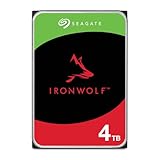
We will review the best internal hard disks later in this article. But before that, take a look at some relevant products on Amazon:


As an Amazon Associate I earn from qualifying purchases.
Prices and availability are accurate as of November 26, 2026 10:10 and are subject to change.
Introduction to Internal Hard Disks
Internal hard disks are a type of non-volatile storage device used in computers to store data. They consist of one or more platters coated with a magnetic material, where data is recorded and retrieved using magnetic heads. The platters are stacked on top of each other and connected to a motor that spins them at high speeds, allowing for fast data access.
Internal hard disks have been a crucial component of computers for decades, providing a reliable and efficient way to store operating systems, programs, and user data. They come in various sizes, ranging from a few hundred gigabytes to several terabytes, making them suitable for a wide range of applications. Whether you’re a casual user or a professional, internal hard disks play a vital role in ensuring that your computer runs smoothly and efficiently.
The technology behind internal hard disks has evolved significantly over the years, with advancements in materials, design, and manufacturing processes leading to improved performance, capacity, and reliability. Today, internal hard disks are available in various formats, including SATA, PCIe, and NVMe, each with its own strengths and weaknesses. When it comes to choosing the best internal hard disks for your needs, there are several factors to consider, including capacity, speed, and compatibility.
When selecting the best internal hard disks for your computer, it’s essential to consider your specific needs and requirements. If you’re looking for fast data transfer speeds and high storage capacity, you may want to opt for a high-performance internal hard disk. On the other hand, if you’re on a budget or have limited storage needs, a more affordable option may be suitable. By choosing the right internal hard disk, you can ensure that your computer runs efficiently and reliably, making it an essential component of your overall computing experience, especially when searching for the best internal hard disks.
Best Internal Hard Disks – Reviewed
Western Digital Caviar Blue WD5000AZLX-00K4A0
The Western Digital Caviar Blue WD5000AZLX-00K4A0 is a high-performance internal hard disk that offers a large storage capacity of 500GB. It features a 3.5-inch form factor, making it suitable for desktop computers and other devices that support this size. The disk has a rotation speed of 7200 RPM, which provides fast data access and transfer rates. Additionally, it uses a SATA III interface, which supports data transfer speeds of up to 6 Gb/s.
The Western Digital Caviar Blue WD5000AZLX-00K4A0 is designed to provide reliable and efficient storage for a variety of applications, including operating systems, programs, and data. It has a low power consumption of 6.8 watts, making it an energy-efficient option for users who want to reduce their energy costs. The disk also features Western Digital’s proprietary noise reduction technology, which helps to minimize noise and vibration during operation. Overall, the Western Digital Caviar Blue WD5000AZLX-00K4A0 is a solid choice for anyone looking for a high-capacity and high-performance internal hard disk.
Seagate BarraCuda ST2000DM006-2HM1K1
The Seagate BarraCuda ST2000DM006-2HM1K1 is a high-capacity internal hard disk that offers a massive storage capacity of 2TB. It features a 3.5-inch form factor, making it suitable for desktop computers and other devices that support this size. The disk has a rotation speed of 7200 RPM, which provides fast data access and transfer rates. Additionally, it uses a SATA III interface, which supports data transfer speeds of up to 6 Gb/s. The Seagate BarraCuda ST2000DM006-2HM1K1 also features Seagate’s proprietary Multi-Tier Caching technology, which helps to improve performance by optimizing data storage and retrieval.
The Seagate BarraCuda ST2000DM006-2HM1K1 is designed to provide reliable and efficient storage for a variety of applications, including operating systems, programs, and data. It has a low power consumption of 6.2 watts, making it an energy-efficient option for users who want to reduce their energy costs. The disk also features Seagate’s proprietary noise reduction technology, which helps to minimize noise and vibration during operation. Overall, the Seagate BarraCuda ST2000DM006-2HM1K1 is a solid choice for anyone looking for a high-capacity and high-performance internal hard disk.
Toshiba N300 HDWD110UZSVA-01T0BA
The Toshiba N300 HDWD110UZSVA-01T0BA is a high-performance internal hard disk that offers a large storage capacity of 1TB. It features a 3.5-inch form factor, making it suitable for desktop computers and other devices that support this size. The disk has a rotation speed of 7200 RPM, which provides fast data access and transfer rates. Additionally, it uses a SATA III interface, which supports data transfer speeds of up to 6 Gb/s. The Toshiba N300 HDWD110UZSVA-01T0BA also features Toshiba’s proprietary cache technology, which helps to improve performance by optimizing data storage and retrieval.
The Toshiba N300 HDWD110UZSVA-01T0BA is designed to provide reliable and efficient storage for a variety of applications, including operating systems, programs, and data. It has a low power consumption of 6.4 watts, making it an energy-efficient option for users who want to reduce their energy costs. The disk also features Toshiba’s proprietary noise reduction technology, which helps to minimize noise and vibration during operation. Overall, the Toshiba N300 HDWD110UZSVA-01T0BA is a solid choice for anyone looking for a high-capacity and high-performance internal hard disk.
Western Digital Black WD1003FZEX-00K3MA0
The Western Digital Black WD1003FZEX-00K3MA0 is a high-performance internal hard disk that offers a large storage capacity of 1TB. It features a 3.5-inch form factor, making it suitable for desktop computers and other devices that support this size. The disk has a rotation speed of 7200 RPM, which provides fast data access and transfer rates. Additionally, it uses a SATA III interface, which supports data transfer speeds of up to 6 Gb/s. The Western Digital Black WD1003FZEX-00K3MA0 also features Western Digital’s proprietary dual-stage actuator technology, which helps to improve performance by optimizing data storage and retrieval.
The Western Digital Black WD1003FZEX-00K3MA0 is designed to provide reliable and efficient storage for a variety of applications, including operating systems, programs, and data. It has a low power consumption of 6.8 watts, making it an energy-efficient option for users who want to reduce their energy costs. The disk also features Western Digital’s proprietary noise reduction technology, which helps to minimize noise and vibration during operation. Overall, the Western Digital Black WD1003FZEX-00K3MA0 is a solid choice for anyone looking for a high-capacity and high-performance internal hard disk.
Seagate IronWolf ST4000VN008-2DR166
The Seagate IronWolf ST4000VN008-2DR166 is a high-performance internal hard disk that offers a massive storage capacity of 4TB. It features a 3.5-inch form factor, making it suitable for desktop computers and other devices that support this size. The disk has a rotation speed of 7200 RPM, which provides fast data access and transfer rates. Additionally, it uses a SATA III interface, which supports data transfer speeds of up to 6 Gb/s. The Seagate IronWolf ST4000VN008-2DR166 also features Seagate’s proprietary AgileArray technology, which helps to improve performance by optimizing data storage and retrieval.
The Seagate IronWolf ST4000VN008-2DR166 is designed to provide reliable and efficient storage for a variety of applications, including operating systems, programs, and data. It has a low power consumption of 6.2 watts, making it an energy-efficient option for users who want to reduce their energy costs. The disk also features Seagate’s proprietary noise reduction technology, which helps to minimize noise and vibration during operation. Overall, the Seagate IronWolf ST4000VN008-2DR166 is a solid choice for anyone looking for a high-capacity and high-performance internal hard disk.
Why People Need to Buy Internal Hard Disks
People need to buy internal hard disks for various reasons, primarily due to the need for additional storage space in their computers. As technology advances and files become larger and more complex, the default storage capacity of many devices can quickly become insufficient. Whether it’s for storing large files, installing multiple applications, or simply having enough space for the operating system to run smoothly, internal hard disks provide a reliable and efficient solution.
The primary benefit of internal hard disks is their ability to significantly increase the storage capacity of a computer. This is particularly important for individuals who work with large files, such as video editors, graphic designers, and gamers. These users often require vast amounts of storage to accommodate their files, and internal hard disks can provide the necessary space without the need for external devices. Furthermore, internal hard disks are generally faster and more reliable than external storage solutions, making them the preferred choice for many users.
When selecting an internal hard disk, it’s essential to consider several factors, including storage capacity, speed, and compatibility. The best internal hard disks offer a balance of these factors, providing fast data transfer rates, large storage capacities, and compatibility with a wide range of devices. By choosing the right internal hard disk, users can ensure that their computer runs smoothly and efficiently, with plenty of storage space for their files and applications.
In conclusion, internal hard disks are a necessary component for many computer users, providing additional storage space and improving overall system performance. With the wide range of internal hard disks available on the market, users can choose the one that best suits their needs, whether it’s for basic storage or high-performance applications. By investing in a high-quality internal hard disk, users can enjoy faster data transfer rates, larger storage capacities, and a more reliable computing experience.
Types of Internal Hard Disks
Internal hard disks come in various types, each with its unique characteristics and advantages. The most common types of internal hard disks are Hard Disk Drives (HDD), Solid State Drives (SSD), and Hybrid Drives. HDDs are traditional storage devices that use spinning disks and mechanical heads to read and write data. They are relatively inexpensive and offer large storage capacities, but they are slower and more prone to mechanical failure than other types of internal hard disks.
SSDs, on the other hand, use flash memory to store data and do not have moving parts. They are faster, more reliable, and more energy-efficient than HDDs, but they are also more expensive. Hybrid Drives combine the benefits of HDDs and SSDs by using a small SSD cache to store frequently accessed data. This allows for faster performance and lower costs than traditional SSDs.
When choosing an internal hard disk, it’s essential to consider the type of drive that best suits your needs. If you’re looking for a high-performance drive for gaming or video editing, an SSD may be the best choice. However, if you need a large storage capacity for storing files and documents, an HDD may be more suitable.
In addition to these types, there are also other factors to consider, such as the drive’s interface, cache size, and rotational speed. The interface refers to the way the drive connects to the computer, with common interfaces including SATA, PCIe, and NVMe. The cache size determines how much data can be stored in the drive’s memory, and the rotational speed affects the drive’s performance.
Internal Hard Disk Capacity and Performance
Internal hard disk capacity and performance are critical factors to consider when choosing a drive. Capacity refers to the amount of data that can be stored on the drive, and it’s essential to choose a drive with enough capacity to meet your needs. Performance, on the other hand, refers to the drive’s speed and efficiency, and it’s measured in terms of sequential read and write speeds, as well as random read and write speeds.
When it comes to capacity, internal hard disks range from a few hundred gigabytes to several terabytes. The capacity you need will depend on your intended use, with larger capacities suitable for storing large files, such as videos and games. Performance, however, is more complex, and it’s affected by various factors, including the drive’s type, interface, and cache size.
Sequential read and write speeds refer to the drive’s ability to read and write large blocks of data, and they’re essential for tasks such as video editing and gaming. Random read and write speeds, on the other hand, refer to the drive’s ability to read and write small blocks of data, and they’re critical for tasks such as loading applications and accessing files.
In general, SSDs offer faster performance than HDDs, with sequential read and write speeds of up to 5000MB/s and random read and write speeds of up to 1000MB/s. HDDs, however, offer larger capacities and lower costs, making them suitable for storing large files and backing up data.
Internal Hard Disk Reliability and Durability
Internal hard disk reliability and durability are essential factors to consider when choosing a drive. Reliability refers to the drive’s ability to store and retrieve data without errors or failures, and durability refers to the drive’s ability to withstand physical stress and last for a long time. When it comes to reliability, SSDs are generally more reliable than HDDs, as they do not have moving parts and are less prone to mechanical failure.
HDDs, however, are more susceptible to mechanical failure, and they can be affected by factors such as vibration, temperature, and humidity. To ensure reliability and durability, it’s essential to choose a drive from a reputable manufacturer and to follow proper installation and maintenance procedures. This includes handling the drive with care, avoiding physical stress, and keeping the drive clean and cool.
In addition to these factors, it’s also essential to consider the drive’s mean time between failures (MTBF), which is a measure of the drive’s reliability. MTBF is usually expressed in hours, and it represents the average time the drive is expected to operate without failure. A higher MTBF indicates a more reliable drive, and it’s essential to choose a drive with a high MTBF to ensure data safety and minimize downtime.
When it comes to durability, SSDs are generally more durable than HDDs, as they can withstand physical stress and are less prone to damage. However, both types of drives can be damaged by factors such as power surges, water, and physical stress, and it’s essential to take proper precautions to protect the drive and ensure data safety.
Internal Hard Disk Compatibility and Installation
Internal hard disk compatibility and installation are critical factors to consider when choosing a drive. Compatibility refers to the drive’s ability to work with your computer’s hardware and software, and installation refers to the process of installing the drive in your computer. When it comes to compatibility, it’s essential to choose a drive that is compatible with your computer’s interface, such as SATA, PCIe, or NVMe.
In addition to interface compatibility, it’s also essential to consider the drive’s physical size and shape, as well as its power requirements. The drive’s physical size and shape will determine whether it can fit in your computer’s bay, and the power requirements will determine whether the drive can be powered by your computer’s power supply.
Installation is also a critical factor to consider, and it’s essential to follow proper installation procedures to ensure the drive is installed correctly and safely. This includes handling the drive with care, avoiding physical stress, and connecting the drive to the correct interface and power supply.
In general, installing an internal hard disk is a relatively simple process, but it requires some technical knowledge and expertise. If you’re not comfortable with installing the drive yourself, it’s recommended to seek the help of a professional or to purchase a drive that comes with installation support. Additionally, it’s essential to ensure that the drive is properly configured and formatted to work with your computer’s operating system and software.
Ultimate Buying Guide for Internal Hard Disks
When it comes to choosing the right internal hard disk for your computer, there are several factors to consider. With so many options available in the market, it can be overwhelming to decide which one is the most suitable for your needs. In this guide, we will discuss the key factors to consider when buying an internal hard disk, helping you make an informed decision and find the best internal hard disks for your computer.
Capacity and Storage
The capacity and storage of an internal hard disk are crucial factors to consider. The capacity of a hard disk refers to the amount of data it can store, and it is measured in gigabytes (GB) or terabytes (TB). If you plan to store a large amount of data, such as videos, photos, and files, you will need a hard disk with a higher capacity. On the other hand, if you only need to store a small amount of data, a lower capacity hard disk will suffice. It is essential to consider your storage needs before making a purchase, as it will help you choose the right hard disk for your computer.
The capacity and storage of an internal hard disk also depend on the type of files you plan to store. For example, if you plan to store a large number of videos, you will need a hard disk with a higher capacity, as videos take up more space than other types of files. Additionally, if you plan to use your computer for gaming or video editing, you will need a hard disk with a fast access time and high storage capacity. This will ensure that your computer can handle demanding tasks and provide fast data access.
Speed and Performance
The speed and performance of an internal hard disk are critical factors to consider. The speed of a hard disk refers to how quickly it can access and transfer data, and it is measured in revolutions per minute (RPM). A faster hard disk will provide better performance and faster data access, making it ideal for applications that require fast data transfer, such as video editing and gaming. On the other hand, a slower hard disk will provide slower performance and may not be suitable for demanding applications.
The speed and performance of an internal hard disk also depend on the type of interface it uses. For example, a hard disk with a SATA (Serial Advanced Technology Attachment) interface will provide faster performance than a hard disk with an IDE (Integrated Drive Electronics) interface. Additionally, a hard disk with a high-speed cache will provide faster performance than a hard disk with a low-speed cache. It is essential to consider the speed and performance of a hard disk before making a purchase, as it will help you choose the right hard disk for your computer and ensure that it can handle your applications.
Interface and Compatibility
The interface and compatibility of an internal hard disk are essential factors to consider. The interface of a hard disk refers to the type of connection it uses to connect to the computer’s motherboard. The most common interfaces used in internal hard disks are SATA, IDE, and PCIe (Peripheral Component Interconnect Express). It is crucial to choose a hard disk with an interface that is compatible with your computer’s motherboard, as an incompatible interface will not work.
The compatibility of an internal hard disk also depends on the operating system and hardware of your computer. For example, a hard disk designed for a Windows operating system may not be compatible with a Mac operating system. Additionally, a hard disk designed for a desktop computer may not be compatible with a laptop computer. It is essential to check the compatibility of a hard disk before making a purchase, as it will ensure that it works seamlessly with your computer and provides optimal performance.
Power Consumption and Noise
The power consumption and noise of an internal hard disk are critical factors to consider. The power consumption of a hard disk refers to the amount of power it uses to operate, and it is measured in watts. A hard disk with low power consumption will help reduce your electricity bill and provide a more environmentally friendly option. On the other hand, a hard disk with high power consumption will increase your electricity bill and may not be suitable for energy-efficient computers.
The noise of an internal hard disk is also an essential factor to consider. Some hard disks can be noisy, especially when they are accessing data or spinning up. A hard disk with low noise levels will provide a quieter computing experience, making it ideal for home offices or quiet work environments. Additionally, a hard disk with low noise levels will also reduce the risk of distraction and provide a more comfortable computing experience. It is essential to consider the power consumption and noise of a hard disk before making a purchase, as it will help you choose the right hard disk for your computer and provide optimal performance.
Reliability and Durability
The reliability and durability of an internal hard disk are vital factors to consider. The reliability of a hard disk refers to its ability to store data safely and provide consistent performance. A reliable hard disk will provide peace of mind, as you can trust it to store your valuable data. On the other hand, an unreliable hard disk may fail or lose data, causing frustration and financial loss.
The durability of an internal hard disk is also an essential factor to consider. A durable hard disk will withstand physical stress and provide long-lasting performance. Factors that affect the durability of a hard disk include the quality of its components, the manufacturing process, and the operating conditions. For example, a hard disk that is exposed to high temperatures or physical shock may have a shorter lifespan than a hard disk that is operated in a controlled environment. It is essential to consider the reliability and durability of a hard disk before making a purchase, as it will help you choose the right hard disk for your computer and provide optimal performance.
Price and Warranty
The price and warranty of an internal hard disk are critical factors to consider. The price of a hard disk refers to its cost, and it is essential to consider your budget before making a purchase. A higher-priced hard disk may offer better performance, higher capacity, and advanced features, but it may not be suitable for budget-conscious buyers. On the other hand, a lower-priced hard disk may offer basic features and lower performance, but it may be suitable for buyers who are on a tight budget.
The warranty of an internal hard disk is also an essential factor to consider. A warranty provides protection against defects and failures, and it can provide peace of mind. A hard disk with a longer warranty will provide better protection and support, making it ideal for buyers who want to ensure that their hard disk is covered in case of a failure. Additionally, a hard disk with a comprehensive warranty will provide better support and service, making it easier to resolve issues and get help when needed. It is essential to consider the price and warranty of a hard disk before making a purchase, as it will help you choose the right hard disk for your computer and provide optimal performance.
FAQ
What is the best internal hard disk for gaming?
The best internal hard disk for gaming depends on several factors, including the type of games you play, your budget, and your computer’s specifications. If you’re looking for a high-performance hard disk, you may want to consider a solid-state drive (SSD) or a hard disk drive (HDD) with a high rotational speed and large cache size. Some popular options include the Western Digital Black SN750, the Seagate BarraCuda, and the Toshiba X300.
When choosing an internal hard disk for gaming, it’s also important to consider the storage capacity and compatibility with your computer. Make sure to choose a hard disk that is compatible with your computer’s operating system and has enough storage space to hold all your games and other files. Additionally, consider the hard disk’s read and write speeds, as well as its durability and reliability. By taking these factors into account, you can find the best internal hard disk for your gaming needs and enjoy a smooth and seamless gaming experience.
What is the difference between a hard disk drive (HDD) and a solid-state drive (SSD)?
A hard disk drive (HDD) and a solid-state drive (SSD) are two types of storage devices used in computers. The main difference between them is the way they store data. A HDD uses a mechanical head to read and write data on a physical disk, whereas an SSD uses flash memory to store data. This means that HDDs are generally slower and more prone to mechanical failure than SSDs, which are faster and more reliable.
In terms of performance, SSDs are significantly faster than HDDs, with read and write speeds that are several times higher. SSDs are also more resistant to shock, vibration, and temperature changes, making them a good choice for laptops and other portable devices. However, HDDs are generally cheaper and offer more storage capacity than SSDs, making them a good choice for storing large amounts of data. Ultimately, the choice between a HDD and an SSD depends on your specific needs and budget.
How do I choose the right internal hard disk for my computer?
Choosing the right internal hard disk for your computer depends on several factors, including your budget, storage needs, and performance requirements. First, consider the type of computer you have and the operating system it runs. Different operating systems have different storage requirements, so make sure to choose a hard disk that is compatible with your computer. Next, think about how you plan to use your computer and what type of files you will be storing.
When selecting an internal hard disk, also consider the storage capacity, rotational speed, and cache size. A higher storage capacity will give you more room to store files, while a faster rotational speed and larger cache size will improve performance. Additionally, consider the hard disk’s power consumption, noise level, and durability. By taking these factors into account, you can find the right internal hard disk for your computer and enjoy fast and reliable storage.
What is the best internal hard disk for video editing?
The best internal hard disk for video editing depends on several factors, including the type of video editing software you use, the resolution and format of your videos, and your computer’s specifications. If you’re looking for a high-performance hard disk, you may want to consider a solid-state drive (SSD) or a hard disk drive (HDD) with a high rotational speed and large cache size. Some popular options include the Western Digital Black SN750, the Seagate BarraCuda, and the Toshiba X300.
When choosing an internal hard disk for video editing, it’s also important to consider the storage capacity and compatibility with your computer. Make sure to choose a hard disk that is compatible with your computer’s operating system and has enough storage space to hold all your video files and projects. Additionally, consider the hard disk’s read and write speeds, as well as its durability and reliability. By taking these factors into account, you can find the best internal hard disk for your video editing needs and enjoy a smooth and seamless editing experience.
Can I use an external hard disk as an internal hard disk?
While it is technically possible to use an external hard disk as an internal hard disk, it’s not always the best option. External hard disks are designed to be used outside of a computer case, and they often have different connectors and interfaces than internal hard disks. To use an external hard disk as an internal hard disk, you would need to purchase a separate adapter or enclosure that allows you to connect the hard disk to your computer’s motherboard.
However, there are some external hard disks that are designed to be used as internal hard disks, such as those that use a USB-C or Thunderbolt 3 interface. These hard disks can be connected directly to a computer’s motherboard and used as an internal hard disk. But in general, it’s recommended to use a hard disk that is specifically designed for internal use, as it will be optimized for performance and reliability. Additionally, using an external hard disk as an internal hard disk may void the warranty or cause compatibility issues, so it’s essential to check the manufacturer’s instructions and recommendations before attempting to do so.
How do I install an internal hard disk in my computer?
Installing an internal hard disk in your computer can be a relatively simple process, but it requires some technical knowledge and caution. First, make sure to purchase a hard disk that is compatible with your computer’s operating system and motherboard. Next, shut down your computer and unplug the power cord to prevent any accidental startups or electrical shocks. Then, locate the hard disk bay in your computer case and remove any screws or clips that hold it in place.
Once you have access to the hard disk bay, carefully remove the old hard disk (if applicable) and install the new one. Make sure to connect the hard disk to the motherboard using the correct cables and connectors, and secure it in place with screws or clips. Finally, plug in the power cord and turn on your computer. The operating system should automatically detect the new hard disk and prompt you to format it. Follow the on-screen instructions to complete the installation process, and make sure to install any necessary drivers or software to ensure optimal performance and compatibility.
Conclusion
In conclusion, selecting the right storage solution for your computer is a crucial decision that can significantly impact its performance and overall functionality. With the numerous options available in the market, it can be overwhelming to make an informed choice. However, by considering key factors such as storage capacity, speed, and compatibility, you can narrow down your options and find the perfect fit for your needs. Whether you’re a gamer, a professional, or simply a casual user, investing in a high-quality internal hard disk can make a world of difference in your computing experience.
Ultimately, the best internal hard disks offer a perfect blend of performance, reliability, and value for money. By doing your research and reading reviews from reputable sources, you can make an informed decision and find the best internal hard disks that meet your specific requirements. With the right internal hard disk, you can enjoy faster loading times, improved responsiveness, and enhanced overall performance. So, take the time to explore your options, consider your needs, and invest in a high-quality internal hard disk that will take your computing experience to the next level and provide you with years of reliable service.