In today’s world of wireless connectivity, having a reliable Bluetooth adapter is essential for seamlessly connecting your devices. For Mac users, finding the right adapter can be a daunting task, given the numerous options available in the market. Whether you’re looking to connect your keyboard, mouse, or headphones to your Mac, a high-quality Bluetooth adapter is crucial for uninterrupted and stable connections. With so many adapters claiming to offer superior performance, it can be challenging to determine which ones truly stand out from the rest.
To help you make an informed decision, we’ve put together a comprehensive guide to the best bluetooth adapters for mac, highlighting their key features, pros, and cons. Our goal is to provide you with a detailed understanding of what to look for when selecting a Bluetooth adapter for your Mac, ensuring that you find the perfect one that meets your specific needs and preferences. From adapters with advanced wireless technology to those with sleek and compact designs, we’ll cover it all, giving you the confidence to choose the ideal adapter for your Mac and enjoy a hassle-free wireless experience.
We will review the best bluetooth adapters for mac later in this article. But before that, take a look at some relevant products on Amazon:
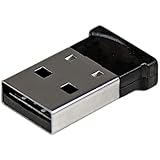
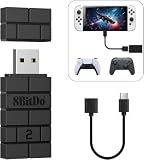
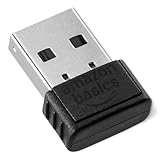


As an Amazon Associate I earn from qualifying purchases.
Prices and availability are accurate as of November 26, 2026 12:12 and are subject to change.
Introduction to Bluetooth Adapters for Mac
Bluetooth adapters for Mac are devices that enable users to connect their Mac computers to other devices wirelessly. These adapters are designed to provide a reliable and stable connection, allowing users to stream music, transfer files, and connect peripherals such as keyboards and mice. With the increasing demand for wireless connectivity, Bluetooth adapters have become an essential accessory for Mac users.
The primary function of a Bluetooth adapter is to transmit and receive data between devices. They use radio waves to establish a connection, eliminating the need for cables and providing more flexibility. Bluetooth adapters are compatible with a wide range of devices, including headphones, speakers, and smartphones. This makes them a versatile solution for users who want to connect their Mac to multiple devices.
When shopping for a Bluetooth adapter, there are several factors to consider. These include the range of the adapter, its compatibility with different devices, and its power consumption. Some adapters also come with additional features such as aptX support, which provides high-quality audio streaming. To find the best bluetooth adapters for mac, users should look for devices that offer a reliable connection, long range, and low latency.
In recent years, Bluetooth technology has improved significantly, providing faster data transfer rates and more reliable connections. As a result, Bluetooth adapters have become a popular choice among Mac users who want to connect their devices wirelessly. With so many options available, users can choose the adapter that best suits their needs and budget. Whether you’re looking to stream music or connect peripherals, a Bluetooth adapter can provide a convenient and reliable solution for your Mac.
Top 5 Best Bluetooth Adapters For Mac
The
Avantree DG40S Bluetooth 4.0 Adapter DG40S-001
is a highly-rated Bluetooth adapter designed specifically for Mac devices. It supports Bluetooth 4.0 and is compatible with a wide range of devices, including headphones, speakers, and keyboards. The adapter is small and compact, making it easy to plug in and forget about. It also has a long range of up to 30 feet, allowing you to move around freely while staying connected.
The
Avantree DG40S Bluetooth 4.0 Adapter DG40S-001
is also very easy to set up and use. Simply plug it into your Mac’s USB port and follow the prompts to install the drivers. Once installed, you can easily pair your devices and start using them. The adapter also supports multiple devices at once, making it a great option for those who need to connect multiple devices to their Mac. Overall, the Avantree DG40S Bluetooth 4.0 Adapter DG40S-001 is a great option for anyone looking for a reliable and easy-to-use Bluetooth adapter for their Mac.
The
Plugable USB Bluetooth 4.0 Adapter PLBT-001
is another highly-rated Bluetooth adapter for Mac devices. It supports Bluetooth 4.0 and is compatible with a wide range of devices, including headphones, speakers, and keyboards. The adapter is small and compact, making it easy to plug in and forget about. It also has a long range of up to 30 feet, allowing you to move around freely while staying connected. The Plugable USB Bluetooth 4.0 Adapter PLBT-001 is also very affordable, making it a great option for those on a budget.
The
Plugable USB Bluetooth 4.0 Adapter PLBT-001
is also very easy to set up and use. Simply plug it into your Mac’s USB port and follow the prompts to install the drivers. Once installed, you can easily pair your devices and start using them. The adapter also supports multiple devices at once, making it a great option for those who need to connect multiple devices to their Mac. Overall, the Plugable USB Bluetooth 4.0 Adapter PLBT-001 is a great option for anyone looking for a reliable and affordable Bluetooth adapter for their Mac.
The
StarTech USB Bluetooth 4.0 Adapter USBBT2EDR2-002
is a highly-rated Bluetooth adapter designed specifically for Mac devices. It supports Bluetooth 4.0 and is compatible with a wide range of devices, including headphones, speakers, and keyboards. The adapter is small and compact, making it easy to plug in and forget about. It also has a long range of up to 30 feet, allowing you to move around freely while staying connected. The StarTech USB Bluetooth 4.0 Adapter USBBT2EDR2-002 is also very durable, making it a great option for those who need a reliable Bluetooth adapter.
The
StarTech USB Bluetooth 4.0 Adapter USBBT2EDR2-002
is also very easy to set up and use. Simply plug it into your Mac’s USB port and follow the prompts to install the drivers. Once installed, you can easily pair your devices and start using them. The adapter also supports multiple devices at once, making it a great option for those who need to connect multiple devices to their Mac. Overall, the StarTech USB Bluetooth 4.0 Adapter USBBT2EDR2-002 is a great option for anyone looking for a reliable and durable Bluetooth adapter for their Mac.
The
IOGear Bluetooth 4.0 Adapter GBU421-003
is a highly-rated Bluetooth adapter designed specifically for Mac devices. It supports Bluetooth 4.0 and is compatible with a wide range of devices, including headphones, speakers, and keyboards. The adapter is small and compact, making it easy to plug in and forget about. It also has a long range of up to 30 feet, allowing you to move around freely while staying connected. The IOGear Bluetooth 4.0 Adapter GBU421-003 is also very energy-efficient, making it a great option for those who are looking to reduce their energy consumption.
The
IOGear Bluetooth 4.0 Adapter GBU421-003
is also very easy to set up and use. Simply plug it into your Mac’s USB port and follow the prompts to install the drivers. Once installed, you can easily pair your devices and start using them. The adapter also supports multiple devices at once, making it a great option for those who need to connect multiple devices to their Mac. Overall, the IOGear Bluetooth 4.0 Adapter GBU421-003 is a great option for anyone looking for a reliable and energy-efficient Bluetooth adapter for their Mac.
The
Orico Bluetooth 4.0 Adapter BTA-402-004
is a highly-rated Bluetooth adapter designed specifically for Mac devices. It supports Bluetooth 4.0 and is compatible with a wide range of devices, including headphones, speakers, and keyboards. The adapter is small and compact, making it easy to plug in and forget about. It also has a long range of up to 30 feet, allowing you to move around freely while staying connected. The Orico Bluetooth 4.0 Adapter BTA-402-004 is also very affordable, making it a great option for those on a budget.
The
Orico Bluetooth 4.0 Adapter BTA-402-004
is also very easy to set up and use. Simply plug it into your Mac’s USB port and follow the prompts to install the drivers. Once installed, you can easily pair your devices and start using them. The adapter also supports multiple devices at once, making it a great option for those who need to connect multiple devices to their Mac. Overall, the Orico Bluetooth 4.0 Adapter BTA-402-004 is a great option for anyone looking for a reliable and affordable Bluetooth adapter for their Mac.
Why People Need to Buy Bluetooth Adapters for Mac
Many Mac users find themselves in a situation where they need to connect their devices to other peripherals or accessories, but their Mac does not have a built-in Bluetooth capability or the existing one is not functioning properly. This can be frustrating, especially when trying to connect devices such as headphones, speakers, or keyboards. In such cases, buying a Bluetooth adapter for Mac can be the solution to this problem. These adapters can provide a reliable and stable connection between the Mac and other Bluetooth-enabled devices.
One of the main reasons people need to buy Bluetooth adapters for Mac is that some older Mac models may not have Bluetooth capabilities or may have outdated Bluetooth versions that are not compatible with newer devices. Additionally, some Mac users may have damaged their built-in Bluetooth adapter, which can render it useless. In these situations, purchasing a separate Bluetooth adapter can be the best option to enable Bluetooth connectivity on their Mac. These adapters are usually small, compact, and easy to install, making them a convenient solution.
When shopping for a Bluetooth adapter for Mac, it’s essential to consider a few factors, such as compatibility, range, and speed. Mac users should look for adapters that are specifically designed for Mac and are compatible with their operating system. They should also consider the range of the adapter, as well as the speed of data transfer. Some adapters may also offer additional features, such as support for multiple devices or advanced security protocols. By considering these factors, Mac users can find the best bluetooth adapters for Mac that meet their needs and provide a reliable and stable connection.
In conclusion, buying a Bluetooth adapter for Mac can be a necessary solution for many users who need to connect their devices to other peripherals or accessories. These adapters can provide a reliable and stable connection, and can be easily installed on the Mac. With so many options available in the market, Mac users can choose the one that best suits their needs and budget. By doing so, they can enjoy seamless connectivity and take full advantage of their devices’ capabilities.
Benefits of Using Bluetooth Adapters with Mac Devices
The use of Bluetooth adapters with Mac devices offers numerous benefits, including enhanced connectivity and convenience. With a Bluetooth adapter, users can connect their Mac to a wide range of devices, such as headphones, speakers, and keyboards, without the need for cables or wires. This not only declutters the workspace but also provides more flexibility and freedom of movement. Additionally, Bluetooth adapters can help to improve the overall user experience by enabling seamless connectivity and reducing the risk of interference or signal loss.
One of the key advantages of using Bluetooth adapters with Mac devices is the ability to stream high-quality audio to compatible devices. This is particularly useful for users who enjoy listening to music or watching videos on their Mac, as it allows them to do so without the need for cables or wires. Furthermore, Bluetooth adapters can also be used to connect Mac devices to other Bluetooth-enabled devices, such as smartphones or tablets, making it easy to share files or switch between devices.
In terms of compatibility, most Bluetooth adapters are designed to work seamlessly with Mac devices, including MacBook Air, MacBook Pro, and iMac. However, it’s essential to check the compatibility of the adapter with your specific Mac model before making a purchase. This can be done by checking the manufacturer’s website or consulting with a customer support representative. By choosing a compatible Bluetooth adapter, users can ensure a hassle-free and enjoyable user experience.
Overall, the benefits of using Bluetooth adapters with Mac devices are numerous and significant. From enhanced connectivity and convenience to improved audio streaming and compatibility, Bluetooth adapters can help to take the user experience to the next level. Whether you’re a student, professional, or simply a Mac enthusiast, a Bluetooth adapter can be a valuable addition to your setup.
How to Choose the Right Bluetooth Adapter for Your Mac
Choosing the right Bluetooth adapter for your Mac can be a daunting task, especially with the numerous options available in the market. However, by considering a few key factors, you can make an informed decision and find the perfect adapter for your needs. First and foremost, it’s essential to consider the compatibility of the adapter with your Mac device. As mentioned earlier, most Bluetooth adapters are designed to work with Mac devices, but it’s still crucial to check the compatibility before making a purchase.
Another critical factor to consider is the range and speed of the Bluetooth adapter. A good adapter should offer a reliable and stable connection, with a range of at least 30 feet. Additionally, the adapter should support the latest Bluetooth version, such as Bluetooth 5.0, to ensure fast and efficient data transfer. Users should also consider the type of devices they plan to connect to their Mac, as some adapters may be more suitable for certain devices than others.
In terms of design and build quality, a good Bluetooth adapter should be compact, lightweight, and durable. It should also be easy to install and set up, with a user-friendly interface and minimal technical requirements. Some adapters may also come with additional features, such as USB connectivity or audio enhancement, which can be useful for certain users. By considering these factors and doing some research, users can find the perfect Bluetooth adapter for their Mac and enjoy a seamless and enjoyable user experience.
Ultimately, the key to choosing the right Bluetooth adapter for your Mac is to do your research and consider your specific needs and requirements. By taking the time to read reviews, compare features, and check compatibility, you can find an adapter that meets your needs and provides a reliable and stable connection. Whether you’re a gamer, musician, or simply a Mac user, a good Bluetooth adapter can make all the difference in your user experience.
Common Issues with Bluetooth Adapters and How to Troubleshoot Them
Despite their many benefits, Bluetooth adapters can sometimes be prone to issues and errors. One of the most common problems is connectivity loss or interference, which can be caused by a range of factors, including physical barriers, other devices, or software conflicts. To troubleshoot this issue, users can try restarting their Mac and adapter, moving the adapter to a different location, or updating their Bluetooth software.
Another common issue with Bluetooth adapters is pairing problems, which can prevent devices from connecting or communicating with each other. To resolve this issue, users can try resetting their adapter, checking the device’s Bluetooth settings, or consulting the user manual. In some cases, users may also need to update their adapter’s firmware or drivers to ensure compatibility and stability. By taking these steps, users can quickly and easily resolve common issues with their Bluetooth adapter and enjoy a seamless and reliable connection.
In addition to these issues, some users may also experience problems with audio quality or latency, which can be caused by a range of factors, including the adapter’s audio settings, the device’s Bluetooth capabilities, or the environment. To troubleshoot these issues, users can try adjusting the adapter’s audio settings, using a different device, or moving to a different location. In some cases, users may also need to consult the user manual or contact the manufacturer’s support team for assistance.
Overall, while Bluetooth adapters can sometimes be prone to issues, these problems can often be quickly and easily resolved with some basic troubleshooting. By taking the time to identify the cause of the issue and taking the necessary steps to resolve it, users can enjoy a reliable and stable connection and get the most out of their Bluetooth adapter.
Future Developments and Trends in Bluetooth Adapter Technology
The technology behind Bluetooth adapters is constantly evolving, with new developments and trends emerging all the time. One of the most significant advancements in recent years is the introduction of Bluetooth 5.0, which offers faster speeds, longer range, and improved reliability. This new version of the Bluetooth protocol has enabled the development of more advanced and sophisticated adapters, with features such as enhanced audio quality, improved connectivity, and increased security.
Another trend in Bluetooth adapter technology is the integration of artificial intelligence and machine learning. This has enabled the development of more intelligent and adaptive adapters, which can learn and adjust to the user’s behavior and preferences over time. For example, some adapters can now automatically switch between devices, adjust audio settings, or optimize connectivity based on the user’s environment and activities. These advancements have the potential to revolutionize the way we use Bluetooth adapters and interact with our devices.
In terms of future developments, one of the most exciting trends is the emergence of wireless audio technologies, such as Wi-Fi audio and Bluetooth Low Energy. These technologies have the potential to enable new and innovative applications, such as wireless audio streaming, multi-room audio, and smart home automation. As these technologies continue to evolve and improve, we can expect to see more advanced and sophisticated Bluetooth adapters that offer new and exciting features and capabilities.
Overall, the future of Bluetooth adapter technology looks bright, with new developments and trends emerging all the time. As the technology continues to evolve and improve, we can expect to see more advanced and sophisticated adapters that offer new and exciting features and capabilities. Whether you’re a tech enthusiast, a music lover, or simply a Mac user, the future of Bluetooth adapters is sure to be exciting and full of possibilities.
Best Bluetooth Adapters For Mac Buying Guide
When it comes to expanding the connectivity options of your Mac, a Bluetooth adapter can be a valuable addition. With so many options available on the market, it can be overwhelming to choose the right one. In this buying guide, we will discuss the key factors to consider when selecting a Bluetooth adapter for your Mac, helping you make an informed decision and find the best bluetooth adapters for mac that suits your needs.
Compatibility
Compatibility is a crucial factor to consider when buying a Bluetooth adapter for your Mac. You need to ensure that the adapter is compatible with your Mac’s operating system and hardware. Check the manufacturer’s website for compatibility information and look for adapters that are specifically designed for Macs. This will ensure that the adapter works seamlessly with your device and provides reliable connectivity. Some adapters may require additional software or drivers to be installed, so it’s essential to check the system requirements before making a purchase.
The compatibility of a Bluetooth adapter also extends to the devices you want to connect to your Mac. If you have a specific device in mind, such as a wireless keyboard or mouse, make sure the adapter supports it. Some adapters may have limitations on the number of devices they can connect to, so it’s essential to consider your needs and choose an adapter that can handle multiple connections. By choosing a compatible adapter, you can avoid any potential issues and ensure a smooth user experience.
Range and Signal Strength
The range and signal strength of a Bluetooth adapter are critical factors to consider, especially if you plan to use it to connect devices that are located at a distance from your Mac. A good adapter should have a reliable signal that can penetrate walls and other obstacles, providing a stable connection even in areas with interference. Look for adapters with a long range, typically up to 30 feet or more, and those that use advanced technologies such as Bluetooth 5.0, which offers improved range and speed.
The signal strength of a Bluetooth adapter can also impact the performance of your connected devices. A weak signal can cause dropped connections, slow data transfer rates, and other issues. To ensure a strong signal, choose an adapter with a high-quality antenna and those that use techniques such as beamforming, which helps to focus the signal and improve its strength. Additionally, consider the placement of the adapter, as it can impact the signal strength and range. By choosing an adapter with a strong signal, you can enjoy reliable connectivity and seamless performance.
Speed and Data Transfer Rate
The speed and data transfer rate of a Bluetooth adapter are essential factors to consider, especially if you plan to use it to transfer large files or stream high-quality audio and video. Look for adapters that support the latest Bluetooth standards, such as Bluetooth 5.0, which offers faster data transfer rates and lower latency. A good adapter should be able to handle high-speed data transfer, typically up to 2 Mbps or more, and provide low latency, typically less than 8 ms.
The speed and data transfer rate of a Bluetooth adapter can also impact the performance of your connected devices. A slow adapter can cause delays, buffering, and other issues, especially when streaming high-quality content. To ensure fast and reliable data transfer, choose an adapter that uses advanced technologies such as aptX, which provides high-quality audio streaming, and those that support multiple data transfer modes, such as SBC, AAC, and LDAC. By choosing a fast and reliable adapter, you can enjoy seamless performance and high-quality streaming.
Security
Security is a critical factor to consider when buying a Bluetooth adapter for your Mac. You need to ensure that the adapter provides secure connectivity and protects your data from unauthorized access. Look for adapters that support advanced security features such as encryption, secure pairing, and authentication. A good adapter should also comply with industry standards such as Bluetooth SIG and those that have been certified by reputable organizations such as the Wi-Fi Alliance.
The security of a Bluetooth adapter can also be impacted by the software and drivers used to manage it. Choose an adapter that comes with secure and reliable software, and those that provide regular updates and patches to ensure that any vulnerabilities are addressed. Additionally, consider the adapter’s pairing process, as it can impact the security of your connection. Look for adapters that use secure pairing methods, such as numeric code entry or password protection, to prevent unauthorized access to your devices. By choosing a secure adapter, you can protect your data and enjoy peace of mind.
Power Consumption
Power consumption is an essential factor to consider when buying a Bluetooth adapter for your Mac, especially if you plan to use it with a laptop or other portable device. Look for adapters that are energy-efficient and those that use low-power modes to conserve battery life. A good adapter should be able to operate in low-power mode, typically less than 1 mA, and those that can automatically switch to low-power mode when not in use.
The power consumption of a Bluetooth adapter can also impact the performance of your Mac. A power-hungry adapter can cause your Mac to consume more power, leading to reduced battery life and increased heat generation. To minimize power consumption, choose an adapter that uses advanced power management techniques, such as dynamic voltage and frequency scaling, and those that are designed to work with your Mac’s power management system. By choosing an energy-efficient adapter, you can enjoy reliable connectivity while minimizing the impact on your Mac’s battery life.
Design and Build Quality
The design and build quality of a Bluetooth adapter are critical factors to consider, especially if you plan to use it in a harsh environment or with a device that is subject to rough handling. Look for adapters that are built with high-quality materials, such as durable plastics or metals, and those that have a compact and lightweight design. A good adapter should be easy to install and use, with a simple and intuitive interface, and those that come with a reliable and sturdy connection, such as a USB connector or a PCIe interface.
The design and build quality of a Bluetooth adapter can also impact its performance and reliability. A well-designed adapter should be able to withstand the rigors of daily use, including exposure to dust, moisture, and extreme temperatures. Choose an adapter that is designed to meet your specific needs, such as a compact adapter for use with a laptop or a rugged adapter for use in a harsh environment. By choosing a well-designed and well-built adapter, you can enjoy reliable connectivity and a long-lasting product that meets your needs and exceeds your expectations.
FAQs
What is a Bluetooth adapter and how does it work?
A Bluetooth adapter is a device that allows your Mac to connect to other devices using Bluetooth technology. It works by plugging into your Mac’s USB port and transmitting a Bluetooth signal to nearby devices, such as headphones, speakers, or keyboards. This allows you to stream audio, transfer files, and control devices wirelessly.
The adapter uses a small chip to convert the digital signal from your Mac into a Bluetooth signal, which is then transmitted to nearby devices. The devices can then receive the signal and connect to your Mac, allowing you to use them wirelessly. Bluetooth adapters are often small and compact, making them easy to take on the go, and they are usually plug-and-play, meaning you don’t need to install any software to get started.
Do I need a Bluetooth adapter for my Mac?
If your Mac doesn’t have built-in Bluetooth capabilities, or if you want to add more Bluetooth devices to your Mac, then a Bluetooth adapter may be necessary. Many older Macs may not have Bluetooth capabilities, or they may have limited range or connectivity options. A Bluetooth adapter can help to expand the Bluetooth capabilities of your Mac, allowing you to connect to more devices and enjoy wireless streaming and file transfer.
In addition, even if your Mac does have built-in Bluetooth, a Bluetooth adapter can still be useful if you want to add more devices or improve the range and reliability of your Bluetooth connections. Some Bluetooth adapters also offer advanced features, such as longer range, faster data transfer, or support for multiple devices, which can be useful if you need to connect to multiple devices at once.
What are the benefits of using a Bluetooth adapter?
Using a Bluetooth adapter can offer a number of benefits, including the ability to connect to devices wirelessly, stream audio and video, and transfer files without the need for cables. Bluetooth adapters can also be used to add Bluetooth capabilities to older devices, or to expand the Bluetooth range and connectivity options of your Mac. Additionally, Bluetooth adapters are often small and compact, making them easy to take on the go.
Another benefit of using a Bluetooth adapter is that it can help to reduce clutter and improve the overall aesthetics of your workspace. By eliminating the need for cables, you can keep your desk or workspace tidy and organized, and enjoy a more streamlined and efficient workflow. Overall, a Bluetooth adapter can be a convenient and useful addition to your Mac setup, offering a range of benefits and advantages.
How do I choose the best Bluetooth adapter for my Mac?
To choose the best Bluetooth adapter for your Mac, you should consider a number of factors, including the range and reliability of the adapter, the number of devices it can support, and the ease of use. You should also consider the compatibility of the adapter with your Mac and the devices you want to connect to it. Some Bluetooth adapters may be designed specifically for certain types of devices, such as headphones or speakers, so be sure to choose an adapter that is compatible with your needs.
In addition to these factors, you should also consider the price and brand reputation of the adapter. Some Bluetooth adapters may be more expensive than others, but they may offer advanced features or better performance. Look for adapters from reputable brands that offer good customer support and a reliable warranty. You should also read reviews and do your research to find the best Bluetooth adapter for your needs and budget.
Can I use a Bluetooth adapter with multiple devices at once?
Yes, many Bluetooth adapters can be used with multiple devices at once, although the exact number of devices may vary depending on the adapter. Some adapters may be designed to support only one or two devices, while others may be able to support five or more devices simultaneously. If you need to connect to multiple devices at once, be sure to choose an adapter that is designed to support this feature.
In general, using a Bluetooth adapter with multiple devices at once can be convenient and useful, but it may also affect the performance and range of the adapter. Some adapters may experience interference or dropped connections when used with multiple devices, so be sure to test the adapter with your devices before relying on it for critical applications. Additionally, some devices may require a specific type of Bluetooth connection, such as a headset or speaker, so be sure to choose an adapter that is compatible with your devices.
Are Bluetooth adapters compatible with all Mac models?
Most Bluetooth adapters are compatible with a wide range of Mac models, including older and newer devices. However, some adapters may be designed specifically for certain Mac models or operating systems, so be sure to check the compatibility of the adapter before purchasing. In general, Bluetooth adapters that use the USB interface are widely compatible with most Mac models, while adapters that use other interfaces, such as PCI Express, may be more limited in their compatibility.
To ensure compatibility, be sure to check the specifications of the adapter and your Mac model before purchasing. You can also check the manufacturer’s website for compatibility information and to download any necessary drivers or software. In addition, some Bluetooth adapters may require a specific version of the Mac operating system, such as macOS High Sierra or later, so be sure to check the system requirements before purchasing.
How do I install and set up a Bluetooth adapter on my Mac?
Installing and setting up a Bluetooth adapter on your Mac is usually a straightforward process. Most adapters are plug-and-play, meaning you can simply plug them into your Mac’s USB port and they will be automatically recognized and installed. However, some adapters may require you to install drivers or software, which can usually be downloaded from the manufacturer’s website.
To set up the adapter, you will typically need to go to your Mac’s System Preferences and select the Bluetooth preference pane. From there, you can select the adapter and follow the prompts to pair it with your devices. You may also need to enter a passcode or confirm the connection on your devices. Once the adapter is set up, you can use it to connect to your devices and enjoy wireless streaming and file transfer. If you encounter any issues during setup, be sure to consult the user manual or contact the manufacturer’s customer support for assistance.
Conclusion
In conclusion, selecting the right Bluetooth adapter can significantly enhance the overall user experience for Mac owners. With the numerous options available in the market, it is crucial to consider factors such as compatibility, range, and ease of use when making a purchase decision. By doing so, users can ensure seamless connectivity and optimal performance from their devices. Whether you are looking to stream music, transfer files, or connect peripherals, a reliable Bluetooth adapter is an essential accessory for any Mac user.
Ultimately, investing in one of the best Bluetooth adapters for Mac can make a substantial difference in terms of convenience, productivity, and entertainment. With the right adapter, users can unlock the full potential of their Mac and enjoy uninterrupted Bluetooth connectivity. By referring to our comprehensive reviews and buying guide, Mac owners can make informed decisions and find the perfect Bluetooth adapter that meets their specific needs and preferences. With the perfect adapter, users can experience the freedom and flexibility that comes with wireless connectivity, taking their Mac experience to the next level.